PointCloudRegistration.jl
PointCloudRegistration.jl is a package for performing rigid and nonrigid registration of point clouds, also known as superimposing or aligning.
Introductory example
To understand what point cloud registration is and why we need it, let's have a look at these two cute cats:
julia> using PointCloudRegistrationjulia> source, target = PointCloudRegistration.Assets.load_cats();
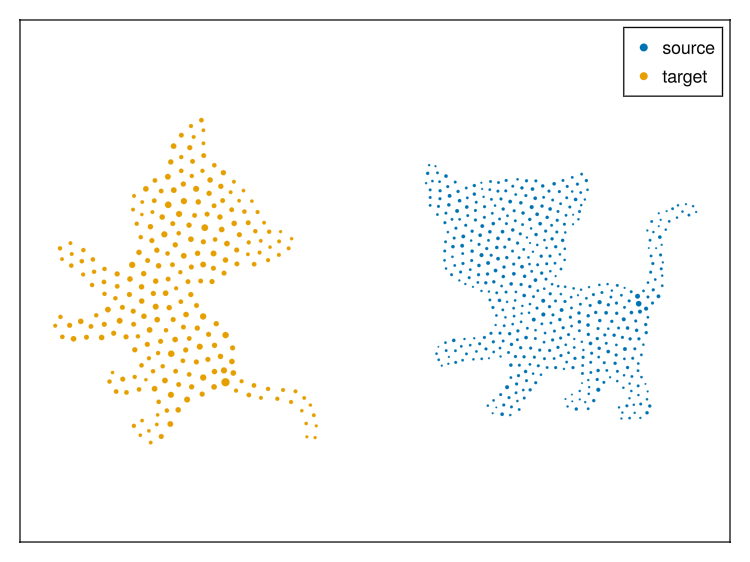
They are both represented as weighted (indicated by marker size) point clouds. As it is common in the context of registration, we call one of them the source and the other the target. While the cats actually only differ in the position of their tails, the two point clouds are considerably more different. If you were to compare them point coordinate by point coordinate, you would pick up lots of differences that are not related to the tail position. Point cloud registration aims at resolving this issue.
We can inspect the numerical representation of the cats:
julia> source2-dimensional point cloud with 510 points of eltype Float64 -2.05844 9.90266 117.956 127.528 … -85.0363 -4.09962 24.9562 -1.5976 34.2892 118.629 67.0558 -127.447 -142.378 108.29 and weights 510-element reinterpret(Int64, ::Vector{UInt8}) 87 102 95 108 114 124 130 101 … 94 87 101 110 87 78 115 78julia> target2-dimensional point cloud with 241 points of eltype Float64 -505.793 -564.474 -484.949 … -463.414 -649.245 -517.484 -2.14602 29.1641 -31.2827 -103.69 -33.2674 -49.8494 and weights 241-element reinterpret(Int64, ::Vector{UInt8}) 180 219 216 234 174 206 188 176 … 228 191 164 133 214 195 196
To perform registration, we can first find a rigid transformation that rotates and translates the source such that both point clouds sit on top of each other:
julia> rigid_transformation = rigid_registration(source, target)AffineMap([0.6324517738018479 -0.7745997378097261; 0.7745997378097262 0.6324517738018479], [-498.28618592635087, -1.5379611642502358])
We can apply rigid_transformation to source and obtain a new point cloud:
julia> source2 = rigid_transformation(source)2-dimensional point cloud with 510 points of eltype Float64
 -498.351    -518.584   -515.575  -469.573  …  -453.347  -390.593   -566.384
   -4.14284    27.8189   164.857   139.654     -148.011   -94.7609    86.2812
and weights
 510-element reinterpret(Int64, ::Vector{UInt8})
 87  102  95  108  114  124  130  101  …  94  87  101  110  87  78  115  78
Plotting both source2 and target shows that the two are aligned well:
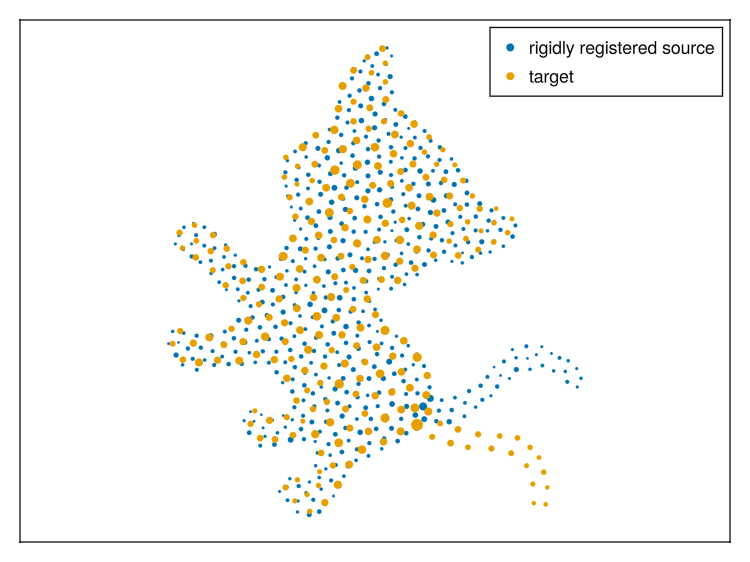
Often, we are already done here. However, we might be interested in explaining more of the differences between the point clouds, for which we turn to non-rigid registration:
julia> nonrigid_displacement =  nonrigid_registration(
         source2,
         target,
         DistancePreserving(; max_edge_length = 45, sensitivity = 1.4, rel_deviation = 1e-4),
       )[ Info: before loop
2-dimensional displacement with 510 vectors of eltype Float64
  4.1192    4.58852   0.648691  1.32036  …   3.65235   3.67159   4.11854
 -1.47035  -1.46731  -0.968431  1.38896     -1.93874  -1.73408  -2.40291
As we can see, this requires a bit more domain knowledge and fine-tuning of parameters compared to rigid registration. Applying the result to source2 provides a new point cloud:
julia> source3 = nonrigid_displacement(source2)2-dimensional point cloud with 510 points of eltype Float64
 -494.231    -513.995   -514.926  -468.252  …  -449.694  -386.921   -562.265
   -5.61318    26.3516   163.889   141.043     -149.95    -96.4949    83.8783
and weights
 510-element reinterpret(Int64, ::Vector{UInt8})
 87  102  95  108  114  124  130  101  …  94  87  101  110  87  78  115  78
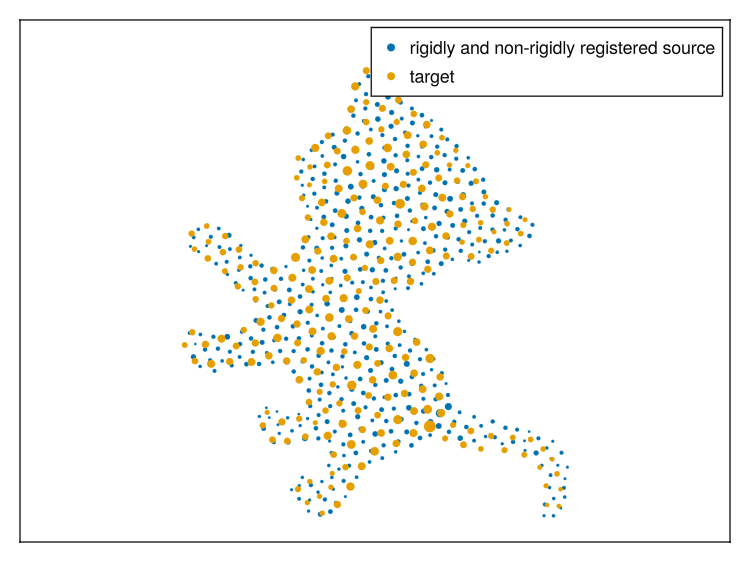
The plot shows the final result:
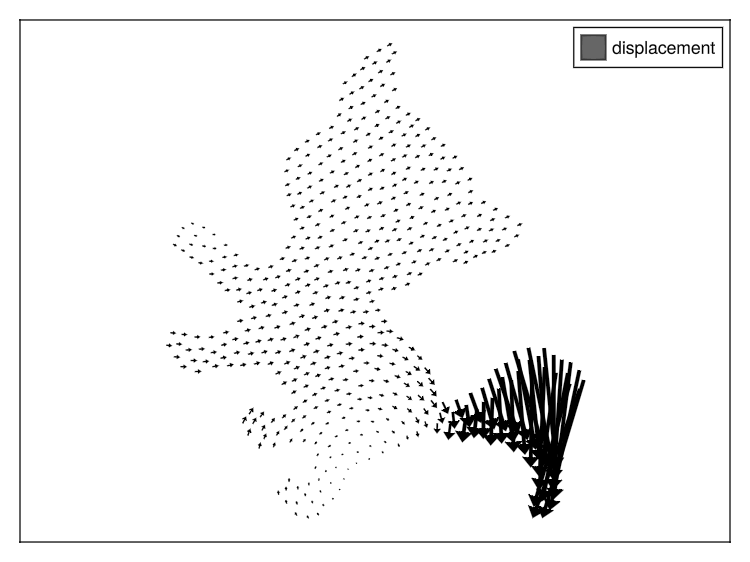
Plotting the nonrigid_displacement reveals the tail movement: